
Business applications for Microsoft Dynamics 365 Business Central
Boost Dynamics 365 Business Central capabilities by using integrated apps available to all system users. Learn more about the most popular business and industry solutions that can enhance the efficiency of your organization.
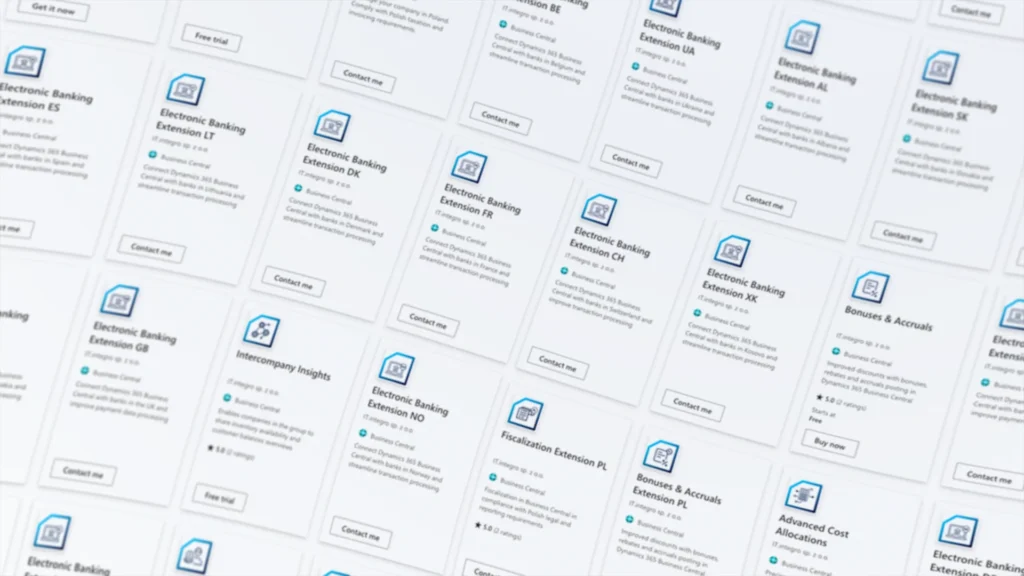
For IT.integro, its own cloud-based solutions are an important part of the product offer.
Microsoft Dynamics 365 Business Central offers exceptional extension capabilities, enabling its users to enhance the system’s functionality by adding full-integrated extensions and applications. Such solutions are designed to support industry- or company-specific processes and are developed and implemented by Microsoft Partners across the globe.
Cloud-based solutions (SaaS – Software as a Service) are made available through Microsoft AppSource. Having several thousands of ready-to-use products to choose from on App Source, Dynamics 365 Business Central users can easily find apps their companies need. AppSource provides all the information required to purchase the app license, including feature descriptions, demo versions and contact details of solution providers. Some of the applications are provided free of charge or as free trials.
Our cloud-based solutions for companies operating in Poland
Polish Localization
Polish Localization is an extension for Microsoft Dynamics 365 Business Central online, designed to ensure compliance with Polish legal, tax and accounting regulations.
Polish Localization offers the following features:
- Accounting, including general ledger maintenance
- VAT calculation and preparation of VAT statements
- Management of receivables and payables
- Fixed assets management with depreciation plans and inventory control
- Intrastat reporting
- Generating Standard Audit Files for tax purposes (SAF-T)
- Validating contractors against the VAT Taxpayer Register
- Ensuring compliance with the Polish Classification of Goods and Services (PKWiU)
Polish Localization can be used with either the Essentials or Premium version of Microsoft Dynamics 365 Business Central. The solution was developed by IT.integro (Microsoft Partner). IT.integro also provides support services to users and its distribution partners.
The application has been made available on Microsoft AppSource. Fill in the contact form to contact us and ask about your free trial version.


Polish Language (Poland)
As an extension of Microsoft Dynamics 365 Business Central, Polish Language (Poland) enables users to use this ERP system in the Polish language. They can smoothly and easily switch the language to view user interface and system commands in Polish.
The application is compatible with both Microsoft Dynamics 365 Business Central licensing models – Essentials and Premium. The Polish Language (Poland) app for Microsoft Dynamics 365 Business Central was developed by IT.integro’s experts and translators.
Find out more about the application on Microsoft AppSource. Contact us using the contact form and ask about your free trial version.

HR & Payroll Manager
Aplikacja HR & Payroll Manager (dawniej Kadry i Płace) rozszerza funkcjonalności systemu ERP Microsoft Dynamics 365 Business Central w obszarze zarządzania personelem i płacami. Umożliwia tworzenie bazy danych kadrowych, generowanie dokumentów, ewidencję czasu pracy i absencji, wyliczanie wynagrodzeń i zasiłków, księgowanie płac według zdefiniowanych kryteriów oraz wiele innych operacji. Rozwiązanie jest zgodne z aktualnymi przepisami polskiego prawa oraz kodeksem pracy, a także zintegrowany z programem Płatnik.
Użytkownicy mają dostęp do takich funkcji jak:
- prowadzenie ewidencji kartotek pracowniczych,
- rejestrację i ewidencję czasu pracy,
- naliczanie wynagrodzeń i tworzenie list korygujących,
- księgowanie list płac,
- przygotowywanie przelewów,
- sprawne wprowadzanie danych do systemu za pomocą dzienników,
- przygotowywanie deklaracji rozliczeniowych i zgłoszeniowych ZUS,
- przygotowywanie deklaracji podatkowych.
Aplikacja została udostępniona na platformie Microsoft AppSource. Skontaktuj się z nami poprzez formularz i zapytaj o wersję testową.

Electronic banking in ERP system
Electronic Banking Base App & Electronic Banking Extension App
The Electronic Banking solution for Dynamics 365 Business Central includes:
- Electronic Banking Base App, which is available for free on AppSource
- Electronic Banking Extensions that provide interfaces for banks in various countries and local features.
Electronic Banking provides the users of the Dynamics 365 Business Central system with:
- The ability to use many functional extensions added to the standard Dynamics 365 Business Central application
- Interfaces that support data exchange with various banks in many countries
- Integration with local functionality within Electronic Banking Extensions


Generating and issuing fiscal documents
Fiscalization
Fiscalization provides Dynamics 365 Business Central users with efficient functionality for generating and issuing fiscal receipts for financial transactions. The application is designed to help users manage company financial documentation and generate transaction receipts between vendors and customers.
Fiscalization offers features for:
- configuring different fiscal printers for a specific customer,
- configuring connections between the ERP system and fiscal printers,
- preparing necessary fiscal documents compliant with local legal requirements,
- issuing fiscal receipts with or without an invoice,
- issuing invoices based on receipts.
The solution consists of the base application that provides general setup functionalities and the local application to handle the fiscalization process in Poland.

Custom manufacturing
Advanced Product Configurator
Advanced Product Configurator is an app for Microsoft Dynamics 365 Business Central users, designed for creating item cards, item variants and production order basing on the predefined attributes, attribute values and dependencies between them.
It can be implemented in a:
- trading company, where the products and product sets are assembled to meet the needs of a particular customer,
- manufacturing company, where production is based on detailed product specifications and BOMs.

Bonuses, rebates and accruals posting
Bonuses & Accruals
Functionalities delivered by Bonuses & Accruals application to Microsoft Dynamics 365 Business Central users:
- bonuses that are granted after a sales invoice is posted, i.e. rebates (retrospective payment). Such rebates are set based on sales (or purchase) targets met by your company and are settled after the completion/posting of a transaction (as opposed to the so-called front-end discounts, which are calculated when a sales or purchase transaction is entered);
- recording other bonuses/rebates calculated based on the sales amount and sales quantity, including commissions for sales staff and sales representatives, loyalty programs, royalties, etc.
The application is available on Microsoft AppSource. Download Bonuses & Accruals and start your 30-day free trial.

Cash desk operations, transactions and reporting
Cash Desk Management
The app by IT.integro supports requirements on cash desk operation registration in Dynamics 365 Business Central. The solution can be used by companies operating in multiple countries. Cash Desk Management provides many functional extensions and facilitates:
- management of multiple cash desks in different currencies;
- entering, posting and printing cash desk documents for receipts and withdrawals;
- direct settlement of receivables and payables;
- ongoing and periodic control through generated cash desk reports.
The application is available on Microsoft AppSource.

Parallel Posting, Manufacturing Cost Allocation and Calculation
Advanced Cost Allocations
The application Advanced Cost Allocations has been designed for the needs of companies that want to streamline their accounting processes. It helps adjust Dynamics 365 Business Central to Polish accounting standards in the area of production costs registration and accounting practices in the scope of cost registration.
Advanced Cost Allocations enables users to:
- keep the costs records based on cost types and calculation types,
- maintain cost allocations,
- precisely calculate and post production costs.
The application is available on Microsoft AppSource.


IT.integro apps for corporate groups
Global Integration AppsIT.integro has been operating on the IT market for 30 years.
The company has successfully carried out several hundred projects, both in Poland and abroad and is currently the strategic Microsoft partner in Central and Eastern Europe. Its customers include multiple international companies operating globally that face challenges such as:
- data synchronization,
- information and document exchange,
- separate databases,
- complex business transaction processes within the group,
- lack of availability of up-to-date inventory information.
Global Integration Apps is a set of applications offered by IT.integro, which are designed to solve such problems and streamline processes within the capital group and much more.
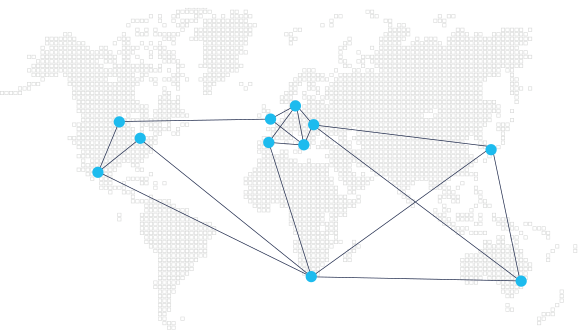
Cloud-based solutions for global companies and capital groups
Intercompany Insights
Intercompany Insights has been designed to cater for the needs of global companies with distributed locations. The application provides an extension of the warehouse and inventory management functionality. Multinational companies, operating in different locations, databases and tenants have access to stock levels in real time.
What are the benefits of using Intercompany Insights?
- Seamless integration with Inventory in Dynamics 365 Business Central
- Improved control and visibility of inventory for each location within the group
- Quick verification of stock availability by location, item or its variant
- More effective response to customer inquiries with access to up-to-date inventory data
- Optimized replenishment processes across locations
- Reducing slow-moving items

Advanced Intercompany
With Advanced Intercompany, you can seamlessly exchange sales and purchase documents within capital groups using ERP Microsoft Dynamics 365 Business Central. The solution provides the benefits of EDI and the functionality required for intra-group trade processes – this includes tracking the quantity and value of goods in transit.
With Advanced Intercompany companies can easily:
- Create consolidated financial statements thanks to optimized value reconciliation for goods in transit
- Verify the order document after it is finally approved in the inbound order buffer
- Speed up the processing of sales and purchase transactions in Dynamics 365 Business Central, both for business partners and end customers
- Reduce the number of errors due to data entered manually from multiple documents

Master Data Management System
Master Data Management System has been designed to cater for the needs of organizations and corporate groups operating in multiple locations that use ERP Microsoft Dynamics 365 Business Central. It is a tool for effective master data management.
The application has been designed to cater for the needs of companies struggling with:
- difficulties with the information flow between locations,
- separate databases,
- lack of master data unification , e.g. BOM-s, price lists and item numbers,
- incoherent contact base,
- hindered electronic exchange of documents (EDI),
- lack of data consistency.
Synchronization of data as well as the ability to monitor and analyze data are the cornerstone of effective management. Senior management is not able to make smart business decisions if no tools for comparing and analyzing data and processes are in place.
With Master Data Management System it is possible to create data sets within Dynamics 365 Business Central database and replicate them to other system databases.
The key benefits of MDMS implementation
- Automated change management within the entire organization
- Streamlined information flow and communication between locations
- Effective management based on reliable data analysis
- Improved inventory management with unified data and the ability to compare stock levels in individual company locations
- Shared Services Center support
- Purchase transactions can be processed and managed centrally.
- Improved customer service through the automatic integration of contact information in all company locations.

Licensing in the SaaS model
Software delivered by IT.integro in the SaaS model requires the payment of monthly license fees for each Full user within the Microsoft Dynamics 365 Business Central license. Master Data Management System is also available with a monthly subscription fee to an unlimited number of users.
When purchasing our application, customers are not obliged to declare a minimum period licensing period they can cancel their subscription at any time. What’s more, depending on their current needs, they can increase or decrease the number of user licenses each month.
IT.integro or another partner company can assist you in software installation and configuration. Such services are priced on an individual basis, once the customer’s needs are identified.

Our solutions are under constant development
What you get is not a complete product. The business landscape is rapidly changing, so are the needs and expectations of customers. Bearing all these considerations in mind, we are continuously updating and improving our products.
New features are developed and implemented in response to the requirements reported by customers and partners. We provide our customers with updates and new versions of Global Integration Apps and Electronic Banking apps on a regular basis.
Staying on top of legislative changes is essential. To help our clients ensure compliance with ever-changing legal regulations, we offer them additional solutions for Polish Localization.