ERP Modules Microsoft Dynamics 365 Business Central
Dynamics 365 Business Central is an end-to-end solution (former Microsoft Dynamics NAV) that streamlines performance in key business areas, such as purchases, sales, customer relationship, service and manufacturing. The solution ensures intuitive user experience and it is easy to use and quick to implement.

A wealth of features available in the standard version
Dynamics 365 Business Central is a complete business solution with unparalleled process integration capabilities. The benefits of implementing the system can be appreciated instantly after launching. By employing more effective tools, users can manage financial, sales, service or manufacturing processes swiftly and smoothly. The system is offered in two licensing options – Essentials or Premium.
Business Central Essentials
Dynamics 365 Business Central Essentials includes the functionalities from the following areas:
- Financial Management
- Sales
- Purchases
- Warehouse Management
- CRM
- Human Resources Management
- Projects
Business Central Premium
Dynamics 365 Business Central Premium includes the functionalities from the following areas:
- Business Central Essentials
- Service
- Manufacturing
- Finances
- Customer Relationship
- Supply Chain
- Projects
- Services
- Manufacturing
Financial Management in Dynamics 365 Business Central
ERP ModulesDynamics 365 Business Central streamlines the handling of information as well as typical finance processes, such as posting financial transactions, generating financial statements, managing inventory and manufacturing costs, fixed assets and bank accounts.
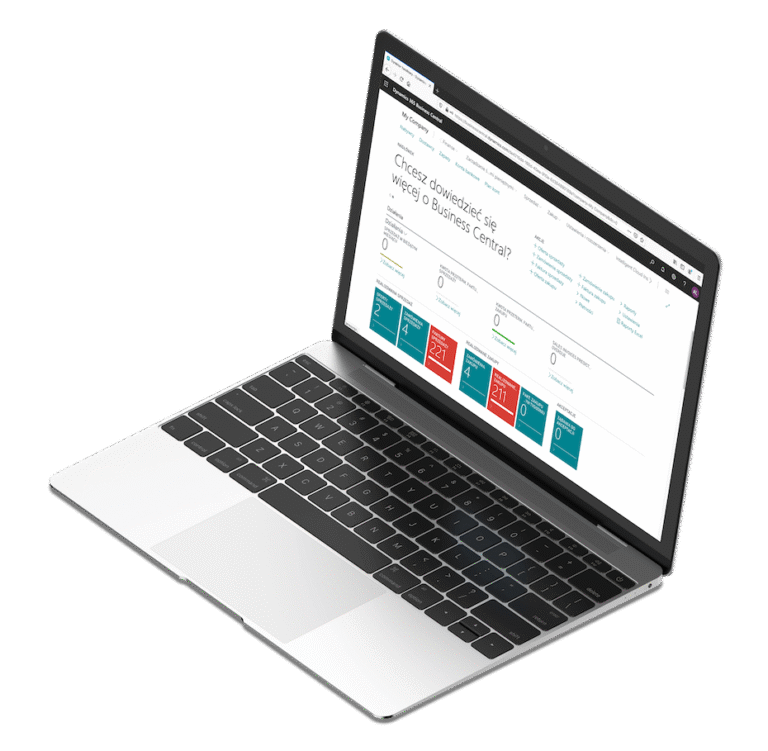
Chart of Accounts
The chart of accounts displays all the accounts (balance sheet accounts and income statements accounts) used to post transactions to the general ledger. Apart from default setup, advanced features for VAT or tax processing can be used. It is possible to define dimensions and add values in entries, which leads to increased report accuracy, as well as to create custom general ledger accounts. Such accounts are used in sales and purchase documents, and in general journals for posting transactions in the general ledger.
Dimensions
Once the appropriate setup is complete in Dynamics 365 Business Central, dimensions can be used in complex financial analyses. Default dimensions can be assigned to customers, items, vendors, G/L accounts, jobs or resources and numerous dimension values can be created for each dimension defined. For example, a customer group dimension can be assigned to a sales document before posting a sales transaction. A department can be assigned when posting expenses in order to facilitate the analysis and comparison of expenses in regard to specific departments.
Process Payments
Dynamics 365 Business Central provides enhancements in the area of payment processing. You can enter and manage the payment on the same page. The option of marking your invoices as paid and running automated account reconciliation is just a few clicks away. The payment journal, covering advanced features such as vendor priority setup and payment due dates, is used to settle payments for vendors, as well as to process and reconcile bank statement transactions at the same time. To process payment reconciliation, run the suggest vendor payments batch. Payments can be made electronically or by check, if needed, after modifying the payment journal lines. To do this, simply import bank statement files and transactions will be settled automatically, in accordance with all the advanced rules that you have defined.
Cash Flow Forecast
For companies, to ensure a deeper insight into cash availability, improved cash flow forecasting is a must. As part of Dynamics 365 Business Central, the cash flow forecast functionality enables users to calculate estimated cash flows. A variety of cash sources can be considered, such as sales orders, purchase orders, receivables, payments. The system analyses the possible implications of planned loans or investment based on expense and revenue information. With in-built Cortana Intelligence and machine learning tools using historical revenues and expenses, users can generate cash flow forecasts.
Budgets
Users can take advantage of budgeting features that are available for costs, sales, purchases and general ledger accounts.
Deferrals
The system provides the ability to set up deferral templates that allow users to automate the deferral settlement process for revenues and expenses, in compliance with a predefined schedule.
Fixed Assets
You can get an in-depth look into the fixed asset management by monitoring fixed asset transactions, such as appreciations, disposals, acquisitions, depreciations and write-downs.
Audit Trails
With Dynamics 365 Business Central, it is possible to assign audit trails and transaction posting descriptions automatically. Furthermore, users can set up customized reason codes that are used to create additional audit trails.
Bank Account Management
Dynamics 365 Business Central helps to respond to various demands from multiple business sectors and supports handling of different currencies, empowering users to set up and manage numerous bank accounts.
Multiple currencies
Multi-currency lets you keep your books in the company’s local currency (LCY) while issuing and settling transactions in multiple currencies (sales, purchasing, bank, and receivables/payables). Business Central supports exchange rates, currency conversions, realized and unrealized currency gains/losses, and period-end revaluation of open customer/vendor entries and bank balances (for example by running Adjust Exchange Rates).
Financial reporting
Financial reporting in Business Central lets you produce statements such as the Balance Sheet, Income Statement, and Cash Flow based on ledger entries, G/L accounts, and dimensions. You can define report layouts and filters, compare periods, and analyze results by views such as departments, projects, or business units – without manually consolidating data.
Consolidation
Consolidation in Business Central (consolidated company reporting) enables you to transfer general ledger entries from multiple companies (business units) into a consolidated company and produce group-level financial statements based on your chart of accounts structure and mappings. The process supports importing or transferring entries, currency translation, consolidation adjustments, and posting elimination entries for intercompany balances where needed.
Sustainability reporting
In Business Central, you can capture ESG data – such as GHG emissions and water and waste intensity – in the sustainability ledger using Sustainability Journals, as well as from general journals or purchase documents, and the system can calculate values such as CO2e. You can then build reports and analytics from sustainability entries to monitor environmental impact and related costs.
Subscription management and recurring invoicing
Subscription billing supports recurring billing for contractually agreed services, with flexible billing periods/frequency, renewals, and price management. Billing is typically driven by contracts and subscription lines (service commitments): you prepare billing based on the next billing date and contract lines, then generate and post invoices (or credit memos) for review and posting.
Bank account reconciliation
Bank reconciliation in Business Central is about matching entries on your bank account in the system with transactions on a bank statement to confirm that your books agree with the bank. You can import a bank statement file (or use a feed where available), reconcile automatically or manually, and then post the results to help detect missing payments and posting errors.
Customer payment handling
This capability lets you register customer receipts and apply them to open invoices and credit memos based on open entries. Using Payment Reconciliation Journals, Business Central can automatically apply payments based on matching rules, while you keep control – reviewing matches and handling underpayments/overpayments before posting.
Electronic payments and direct debit
Business Central lets you export payments from the Payment Journal to a bank file (for example SEPA Credit Transfer) that you submit to your bank for processing. For SEPA Direct Debit, you set up the export format, payment method, and the direct-debit mandate to create and export collections according to your agreement with the customer.
Intercompany posting
Intercompany functionality streamlines posting between related companies using intercompany documents and intercompany journals that pass transaction data to intercompany partners and support settlement. After you set up intercompany partners plus chart of accounts and dimension mappings, you can post intercompany transactions to G/L accounts – and, when intercompany bank accounts are set up, also post bank-to-bank transactions between companies.
Customer Relationship Management in Dynamics 365 Business Central
ERP ModulesBuild stronger customer relationships with Relationship Management in Dynamics 365 Business Central. Keep all customer and contact details in one place, track interactions and opportunities end to end, and stay on top of follow-ups with a clear view of your pipeline. With seamless integration across Microsoft 365 and Power Platform, your teams can collaborate faster and turn insights into action.
Contacts
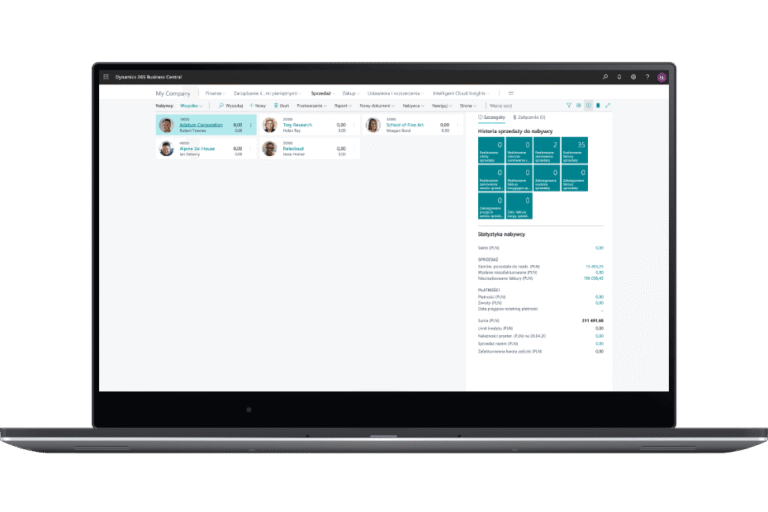
Contacts are used as master data in customer relationship management and encompass personal and company information, based on which marketing related activities are initiated. The functionality is used to record quotes for contacts, manage duplicate contacts and synchronize contacts with customers and vendors.
Segmentation
In Dynamics 365 Business Central, segments are groups of contacts that are assigned in compliance with specified criteria. The solution facilitates contact segmentation. Users have the ability to create segments based on types of collected data, as well as record segmentation criteria and reuse them for various marketing campaigns.
Opportunity Management
With the relational management functionality available in Dynamics 365 Business Central, users can track sales opportunities, classify sales activities into different stages and manage sales opportunities based on unified data. The solution provides tools that enable them to link sales quotes directly to opportunities and effectively manage sales channels and your customer journey.
Campaigns
Marketing campaigns are planned and carried out based on segments set up for contacts and involve a number of customer-centric activities, such as preparing catalogs, launching promotions and special offers and arranging marketing events. Contact responses to campaigns can be registered as interactions.
Interactions
Apart from contact support features, the relationship management functionality empowers users to track interactions (phone calls, invites and emails) and documents (sales quotes, orders, reminders, invoices and many others).
Dynamics 365 for Sales integration
Dynamics 365 Business Central is highly flexible and easy to cooperate with Dynamics 365 for Sales. You just need to follow some simple steps to synchronize data concerning units of measure, sales orders, item availability and currencies.
Email logging
Business Central can automatically log email exchanges between a salesperson and a contact as Interaction Log Entries, so you have a correspondence history linked to the specific Contact. These log entries let you review and analyze recorded interactions (including those created manually), supporting both sales and marketing activities.
Shopify integration
The built-in Shopify connector connects your Shopify store with Business Central to synchronize, for example, products/items, inventory levels, customers, and orders – making order fulfillment and sales operations easier. The integration supports automatically retrieving new orders (for example, in near real time) and updating fulfillment statuses in Shopify based on actions completed in Business Central.
Supply Chain Management in Dynamics 365 Business Central
ERP ModulesRun your operations with confidence using Supply Chain Management in Dynamics 365 Business Central. Plan and optimize purchasing, inventory, and order fulfillment with real-time visibility into demand, stock, and availability – so you can deliver on time and reduce costs. Connect warehousing, sales, and finance in one system to keep every transaction accurate and every decision data-driven.
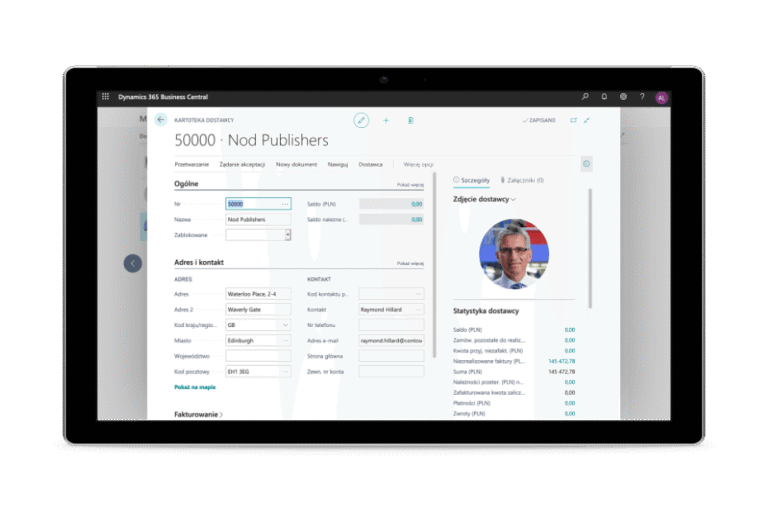
Sales and Purchase Order Management
Dynamics 365 Business Central provides a number of functions to configure a broad spectrum of sales and purchase documents that best respond to your business needs. You can set up and use sales/purchase orders, blanket sales/purchase orders, and sales/purchase order processes and automatically assign special prices and discounts to selected customers or customers groups if certain conditions (minimum quantity or order date) are fulfilled. If so, the best price and the highest discount for a customer are granted. As sales order registration is not required, the invoicing process is quick and simple. Moreover, you can define prices and discounts in a sales document for specific lines and set up an invoice discount, which means that the discount percentage is linked to the document amount. In Dynamics 365 Business Central, the automated workflow is used to monitor and control the entire purchase process. The workflow process involves document entry and registration of paper documents by means of the OCR functionality. Based on notifications about available inventory and availability forecasts, replenishment orders are created. Prices and discounts are granted, if criteria agreed upon with vendors such as minimum quantity or order date, are met. Implementing advanced workflow and approval structures helps you enhance control over purchase costs and expenses.
Item Availability
Sales processes can be managed effectively if efficient tools to track item availability in multiple locations over time are put in place. In the case of stock shortages identified while processing sales orders, Dynamics 365 Business Central generates appropriate notifications, so you can intervene immediately - create a replenishment order or offer a substitute item.
Nonstock Items
Dynamics 365 Business Central enables you to set up and offer customers non-stock items, i.e. items that have not been registered in the inventory. You just need to fill in a few fields with relevant information. After that, even though the item is not available in stock, you can include it in the price list. A new item is automatically created on the non-stock item card using the item card template, if a non-stock item is added directly to a sales document. The non-stock item template contains all the fields that are typically set up for an item.
Sales and Inventory Forecasting
Machine learning in Dynamics 365 Business Central combined with predictive analytics tools ensure precise sales and inventory forecasts based on historical data in specific periods and sources. If stock levels are reduced to zero, a replenishment order can be created just in the forecast chart.
Item Substitutions
The solution provides features to create and offer substitute items for all items. To setup a substitute item, simply create a link between similar items. If the requested item is not in stock, take a look at all the substitute items and choose one to complete the customer’s order.
Warehousing
Dynamics 365 Business Central supports handling of warehouse receipts, warehouse shipments, put-aways and transfers. Inventory picks are used in assembly, manufacturing and shipment processes. Inventory management relies on bins that helps track inventory transfers including pick-ups and put-aways. It is easier to optimize inventory consumption, if transfer information is always on hand. The warehousing functionality also facilitates the assembly of items for sales orders and warehouse orders.
Inventory Movements
The inventory tracking functionality empowers users to collect information about locations where an item was moved, as well as its value in transit and at subsequent locations in the transfer process.
Locations
With Dynamics 365 Business Central, users are well equipped to manage inventory in various locations such as warehouses, production plants, distribution centers, showrooms, retail outlets, or service cars.
Drop shipments
Drop shipments in Business Central link a sales order to a purchase order so the vendor ships the goods directly to your customer, bypassing your warehouse. The system helps you create the purchase order from the sales order and keeps the documents connected throughout the process.
Cycle counting
Cycle counting lets you count selected items more frequently (for example, high-value or fast-moving items) by assigning them a counting period. Business Central can then automatically identify the items “to count” based on those periods and create lines in the Item Journal (or a dedicated physical inventory journal) for you to enter the results.
Project Management in Dynamics 365 Business Central
ERP ModulesThe Jobs area in Business Central lets you plan a project using job tasks and job planning lines, create budgets, and track resource consumption (employee time, machines, items, and costs) against the plan. It also supports job invoicing to the customer – billing as you go based on progress and/or costs – and work in process (WIP) to recognize project results correctly across accounting periods.

Resources
A resource is a person or a device that can be tracked individually or as part of a resource group. The resource functionality helps to group resources and record resource prices and sales. Resource management and jobs functionality are often used in tandem.
Resource Capacity and Availability
In Dynamics 365 Business Central, the resource management is handled based on a capacity defined by the user. By tracking the resource usage, you can gain a comprehensive overview of both the capacity and availability of resources.
Jobs
The job functionality is essential for registration of resource and material usages on specific jobs. The same data is required to generate invoices. However, in invoicing both - fixed-price jobs and time and-material usage may be considered. The functionality helps optimize typical tasks related to project management such as job setup, resource planning, budget management and job progress tracking. It also provides tools for managing long-term projects, recording the manhours and machine hours used, as well as monitoring the consumption of inventory items. Users can also obtain precise data about individual jobs, as well as the allocation of employees, machines, and other resources used in all projects. A job card stores all the information that is necessary to manage the job from an administration and financial point of view. The actions the job involves are defined as tasks. For each task, you can set up capacity and sales, taking into account the resources and inventory usages. By applying the cost and price of items or resources used for the job, the system calculates actual job budgets, which ensures you can monitor the profitability of a job. When working on a job, you can post item usage as soon as the items are purchased, by assigning a job number and task number in the purchase line, purchase order and purchase invoice. For resources and stocks, the usage is recorded and posted in job journals. To invoice a job, you need to set up an invoicing period. Job statistics provide you with an overview of job costs, enabling you to stick to the budget. The job functionality supports many types of services and consultancy tasks.
Time Sheets
Dynamics 365 Business Central provides a simple and flexible tool that facilitates the registration of time worked and the approval of time consumption by approvers. Time sheets are integrated with the service, job and resource functionalities and allow employees to enter the time spent on specific projects. They are managed by a timesheet administrator who appoints employees responsible for filling in time registration data. To set up time sheets, the administrator uses job planning lines. The employee is only required to confirm if the time worked on a job or task is the same as the budgeted time. After entering or confirming the hours worked by an employee, the time sheet is sent for approval. The time sheet administrator or project manager can post the time consumption for a relevant task. Upon approval, all expenses and sales revenues are posted in the profit and loss account, whereas work in progress is included in the balance sheet. For this purpose, a valuation method has to be set up. Several valuation options e.g. progress, are available in the application. The job card provides the ability to easily track the work- in-progress status as well as the approved costs and sales.
Service Management in Dynamics 365 Business Central
ERP ModulesThe Service Management functionality can be used only in the Premium licensing model and supports the whole service process, including service and product supply chains and the delivery of services such as repairs. With Service Management, users can quickly and effectively carry out a number of tasks, such as responding promptly to service requests, planning and scheduling repairs, tracking repair statuses, monitoring and invoicing repair costs, handling warranties, setting up and using service contracts, optimizing inventory levels for spare parts, and improving spare parts for costing.

Service Items
Service item management functions are the key components of the Service Management module. The equipment or items that need to be serviced or repaired can be defined as service items. The functionality helps you record and keep track of all your service items data including contract information, component management, BOM reference and warranty information.
Service Orders
Service orders are created for equipment or services and they are used to record any maintenance activities or submitted repairs. Service requests can be initiated by the customer or created automatically according to the terms set out in your service agreement. Call center employees or your repair shop can be responsible for service order data entry.
Planning & Dispatching
In Dynamics 365 Business Central, to register services as service orders, it is important to plan them first. During the planning process, job tasks are assigned and distributed between employees. While selecting the optimal planning setup, factors such as regional zones, staff skills, and priorities are taken into account. The solution also comes in handy when managing information about service teams and technicians, and filtering data according to several criteria (e.g. availability, skills and warehouse inventory).
Service Contract Management
Service terms and conditions, as well as performance of all contract - related activities are managed by the contract provisions. With the contract management module, you can register an agreement setting out the required service quality, manage information concerning contract history, contract renewal and contract templates and also generate contract quotes. The system also registers all detailed information service quality, response times, and discount levels, and the service history of each contract, including used service items and parts and labor hours.
Warranty
The Service Management module empowers users to manage warranty information concerning service items, spare parts, response times, discounts and service levels.
Service Price Management
The functionality enables users to define, maintain and monitor service prices. Users can also set up price calculation structures with all the parameters related to service delivery.
Manufacturing Management in Dynamics 365 Business Central
ERP ModulesThe Dynamics 365 Business Central Premium user license includes the manufacturing management functionality.

Bill of Material (BOM), routing and production capacity
Bill of Material is a list of components required to produce a final product or semi-finished product and contains a description of all components, their quantity and units of measure. The routing specifies a sequence of operations that must be performed to produce a finished product. Capacity setup is used to define a template for a production environment. In Dynamics 365 Business Central, three types of production capacities can be defined for the three production units: production department, work center and machine center.
Production Orders
To manage the processing of purchased raw materials into final product and monitor relevant data, production orders can be used. Production orders store information concerning the types and quantities of products to be manufactured, components, routing steps or operations required to process components into finished products as well as the work and machine centers where routing operations are performed. Work and machine centers represent available capacity. Production orders are processed until they are completed. The manufacturing process involves actions such as starting a production order, picking up components from the warehouse, using raw materials, manufacturing a product, registering consumption and the final product in the production journal (optionally), and storing finished products in a warehouse.
Demand Forecasting
The demand forecasting functionality enables you to anticipate any type of demand. Users can easily convert forecasts into production plans and reconcile them against the actual sales. The changes in the forecast are also reflected in the existing production plans.
Production Planning
The system offers three production planning options:
Sales order planning - a simplified planning function that is used to create production orders directly from sales orders. It is recommended for companies manufacturing items for specific orders in the MTO (make-to order) process. In the MTO process, component planning is minimized.
Order Planning - a more advanced ERP modules that enables you to respond to the demand in multiple demand sources by creating various types of shipments. The program calculates demand without any supply for subsequent orders. With the planning tools, the planner can effectively combine and adjust supply planning, taking into account all other critical factors.
Planning Worksheet – it can be used to generate the production plan by calculating a complete plan for replenishing the inventory or net requirement, including all information about demand that is available in the system and supplies that cover this demand. The planning mechanism is used for the main production schedule (MPS).
Shop Loading
To estimate shop loading, you can compare the requirement to the actual capacity of a machine center. In monitoring and managing shop loading, the system optionally uses the two assumptions: Shop loading with unlimited capacity – the system plans production regardless of the shop loading; or Shop loading with limited capacity – the system plans production orders for a defined capacity percentage.
Advanced Capacity
As resource shortages may occur in manufacturing, capacity planning features are of primary importance. With Dynamics 365 Business Central, it is possible to plan production and capacity calendars for work and machine centers and monitor all scheduled capacity absences.
Subcontracting Functionality
Nowadays, it is more and more common for manufacturing companies to subcontract some of their orders. Thus, the software that incorporates the subcontracting features is a prerequisite. Microsoft Dynamics 365 Business Central provides powerful tools for managing quantities and costs as part of a typical workflow. The solution supports the entire subcontracting process by enabling the setup integration for work centers, production orders and purchase orders.
AI in Dynamics 365 Business Central: less manual work, faster decisions, more control
AI in Dynamics 365 Business Central has one goal – take routine work off people’s plates, reduce the time spent processing documents, and help you understand what’s happening in your data faster. Instead of adding yet another tool “next to your ERP,” you get capabilities embedded directly into finance and sales processes that boost productivity and help reduce errors.
What do you gain from using AI in your ERP?
- Faster finance close
Less manual matching and fewer exceptions to investigate. - Fewer costly mistakes
AI suggests matches and next actions, while users stay in control by reviewing and approving key steps. - Shorter customer response times
Get context on a record faster and act without jumping between multiple pages. - Greater team scalability
As document volumes grow, you don’t need to add headcount at the same pace.

Copilot in Business Central: an AI assistant that supports employees
Fast record summaries
Copilot can summarize a record (for example, a customer, item, or sales order) in a few bullet points, highlighting key details and what needs attention – so you can get oriented quickly and make decisions faster.
Chat with Copilot
Ask questions about your business data and system capabilities in natural language, reducing time spent searching for information and helping new users get productive faster.
AI-assisted bank reconciliation
Copilot helps match more transactions and can suggest G/L accounts for unmatched lines, reducing manual posting and speeding up bank reconciliation.
Marketing text for item cards
If you sell online, Copilot can draft product descriptions based on item data – helping you create content faster and keep a consistent tone.
Simplify specific processes with AI agents
Agents in Business Central go beyond Copilot by running a process, while the user stays in a supervisory role – reviewing, refining, and approving the outcome. It’s a practical way to increase throughput in sales and finance without losing control.
Sales Order Agent speeds up handling inquiries and orders
The agent analyzes orders sent by email, identifies the customer, requests missing details, checks availability, and prepares a sales quote – so sales can respond faster and spend less time re-entering data.
Payables Agent reduces work on vendor invoices
The agent monitors an email inbox for vendor invoices, analyzes the documents, and creates draft purchase invoices for review – so the user can make minimal adjustments before approval and posting.
Functional enhancements on hand in Dynamics 365 Business Central
Whenever your company comes across new business opportunities and needs new tools to support its growth, you can add powerful functionality with new modules and extensions. Starting a new business, simply implement the standard functionality that will enable you to support primary business processes. As your business demands grow, just like the number of processes and transactions, you can invest in new modules. Flexible tools, a scalable database and the efficient cloud platform will help you thrive.
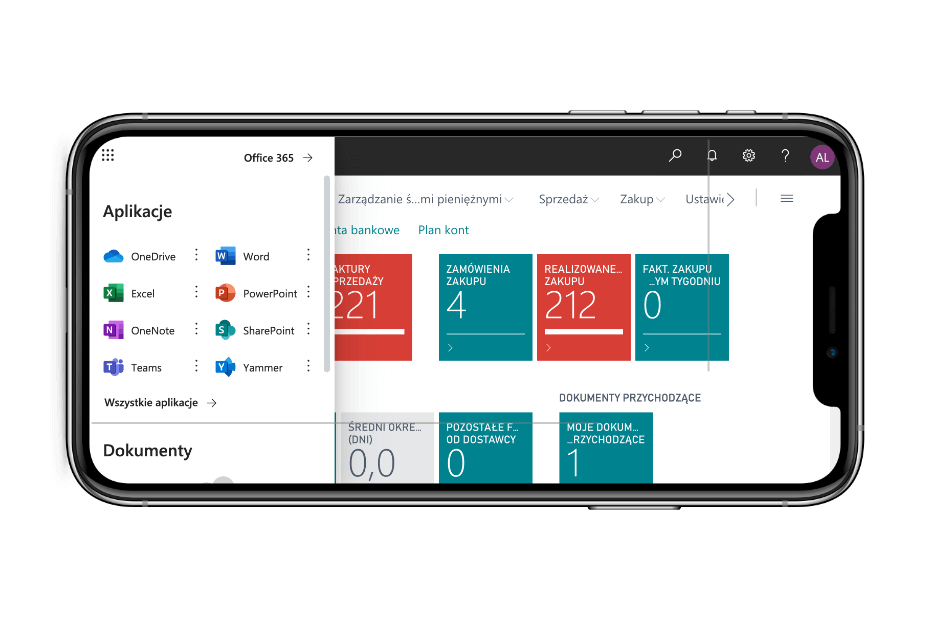
Power BI
A package of analytical tools based on the Dynamics 365 Business Central cloud platform that will enable your team to: gain a comprehensive overview of all processes; have simple and secure access to key data; gain an insight into strategic information from any device; ensure effective collaboration between departments; incorporate advanced visualizations and analyses into your daily processes and tasks.
Power Apps
An exceptionally efficient and flexible platform offering tools for the creation of custom business applications. With Power Apps, development is a fast and easy process. The newly developed applications can be shared within the whole organization. The common platform ensures you have access to all resources from any mobile device.
App Source
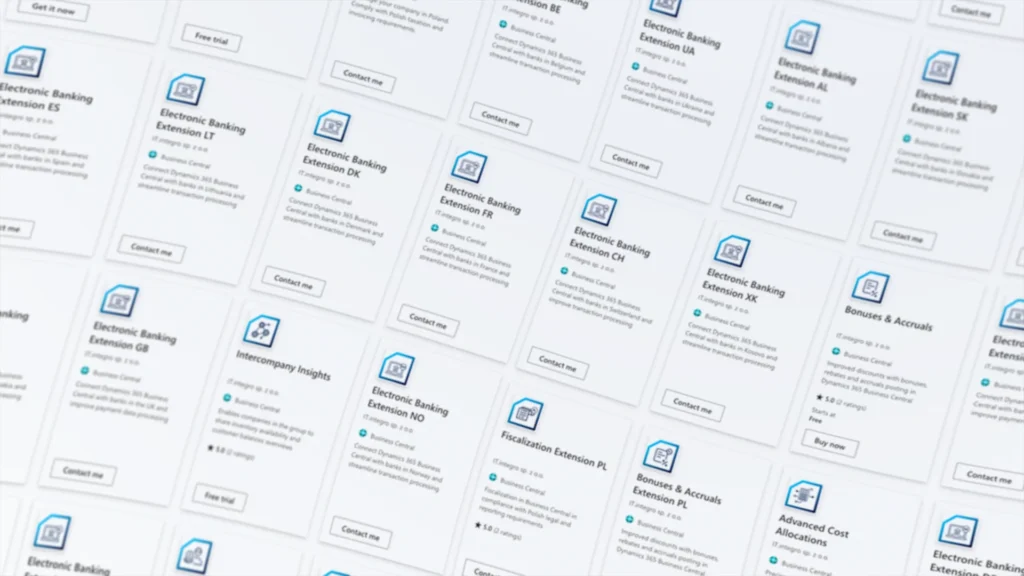
A vast array of ready-to-use and tested applications developed by Microsoft or its partners worldwide that extend the standard system functionality.
Power Automate
The platform that enables you to manage and automate the processes and workflow between Microsoft Business Central and other services and tools.
Power Pages
Power Pages is a secure, enterprise-grade, low-code SaaS platform for creating, hosting, and administering modern external-facing business websites and portals for customers, partners, and communities. It supports authentication for external users (for example, Microsoft Entra ID and other identity providers) and enables users to securely work with data stored in Microsoft Dataverse through features like forms and lists, with fast design and publishing across devices.
Microsoft Copilot Studio
Microsoft Copilot Studio is an end-to-end, low-code conversational AI platform for creating and managing agents that you can publish to the channels your employees and customers use (for example, websites, mobile apps, Microsoft Teams, or Microsoft 365 Copilot). You can build agents using natural language or a graphical interface, connect them to your business data and knowledge sources using built-in or custom connectors (for example, Dynamics 365, Power Platform, and websites), and design their logic in a visual authoring experience.
Extensions
All functionality improvements and developments are produced and published as extensions. Thanks to this approach the standard application can be extended without interfering into the source code, which streamlines system updates.
Connect apps
A flexible API for integrating Business Central with the solutions and services of third parties.
More knowledge?
Download e-book
Get to know the Microsoft Dynamics 365 Business Central
Manage business innovation with Microsoft tools
Go to contact form